¶ Maintenance Coach
¶ Diagnostics & Repair
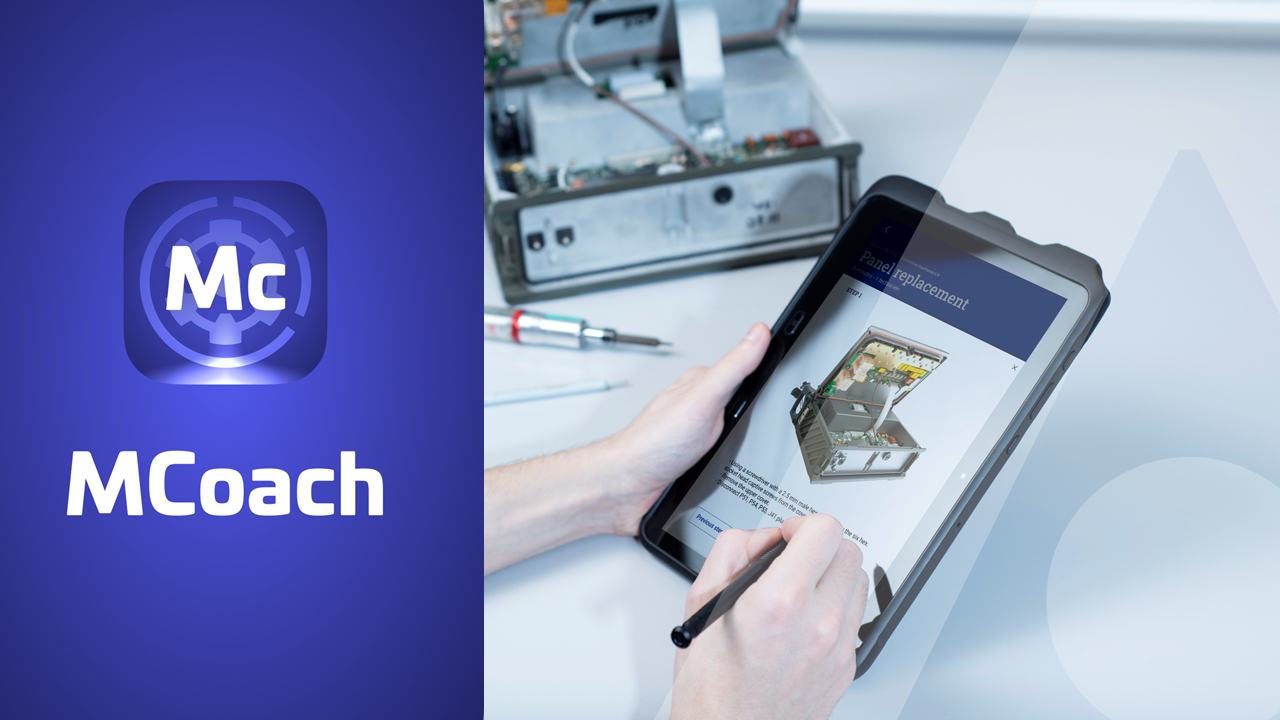
The "Maintenance Coach" mobile application is your essential ally for managing and maintaining your equipment and systems. With a comprehensive range of features, this app allows you to access interactive tutorials, view maintenance procedures enhanced with photos and videos, and consult your essential documentation.
Maintenance Coach offers a unique approach to troubleshooting and maintenance. You can access interactive tutorials that guide you through the diagnostic process. These tutorials function like decision trees, asking specific questions about your equipment’s symptoms. As you answer the questions, the app identifies the potential issue and suggests appropriate solutions.
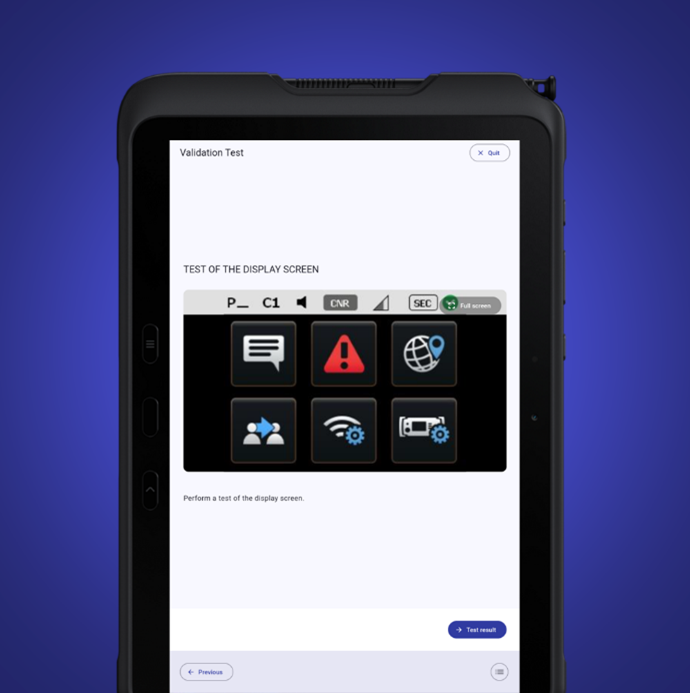
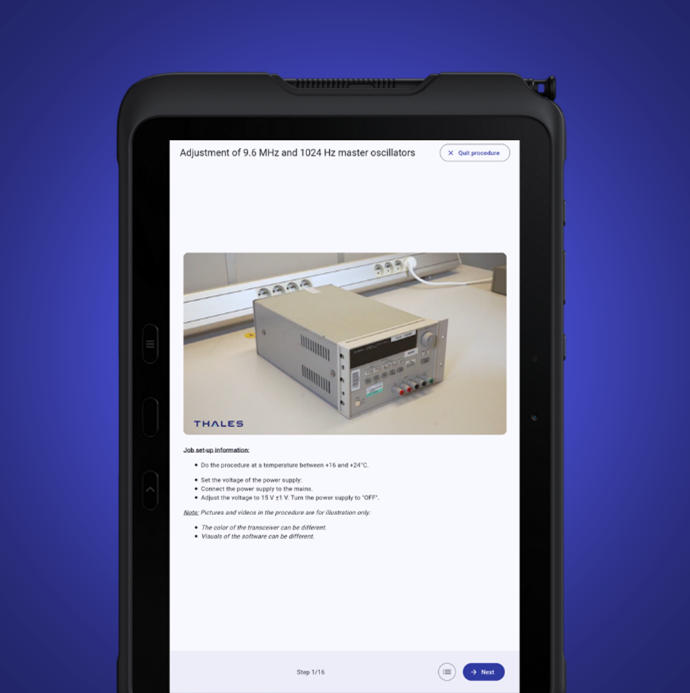
For precise repairs, nothing beats a clear visual guide of the steps to follow. With Maintenance Coach, you have access to comprehensive maintenance procedures enhanced with photos and videos. These visual resources show you exactly what to do at each step of the repair process, ensuring correct execution.
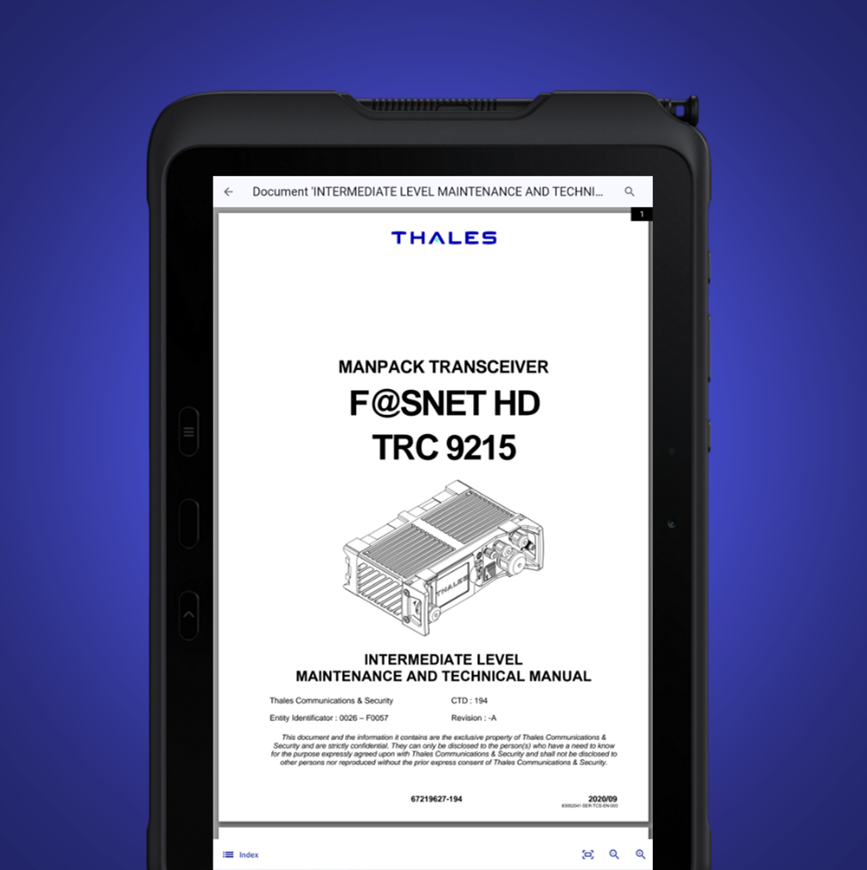
In addition to interactive tutorials and visual resources, the application gives you access to your essential documentation (including PDF format). This includes detailed user manuals, maintenance manuals, and other relevant information. You can view these documents directly from the app, eliminating the need to manually search for printed materials.
Maintenance Coach is a powerful tool for diagnosing and repairing your equipment with ease. With interactive tutorials, rich visual resources, and access to your documentation, you have all the information you need to keep your equipment running smoothly. Don’t let breakdowns slow you down — trust Maintenance Coach to guide you through every step of your maintenance process.
¶ Equipment Connectivity
Maintenance Coach is a maintenance solution developed by Thales, designed to optimize, simplify, and secure the maintenance of Thales equipment. The system prioritizes the use of a direct wired connection for the interface with the supported equipment, in line with Thales’s product policy, to ensure reliability, robust data exchange, and a high level of cybersecurity—especially critical for military-use products.
Currently operational with radios from the SYNAPS family, Maintenance Coach enables maintainers to connect directly to the radio equipment to collect health and usage data (HUMS) for corrective and preventive maintenance. It provides the ability to perform diagnostics and carry out software updates for the radio, while ensuring effective troubleshooting in a secure environment.
Maintenance Coach currently supports SYNAPS radios (SYNAPS-H, SYNAPS-T, and SYNAPS-V), and its development continues for Thales collaborative combat systems such as the CAMO Mission Kit, as well as for SYNAPS-A, also known as CONTACT Aero for aeronautical platforms. As the solution evolves, it will expand its support to other Thales systems, enabling harmonized maintenance practices across land and air platforms, while supporting both organizational-level maintenance (OLM) and intermediate-level maintenance (ILM).
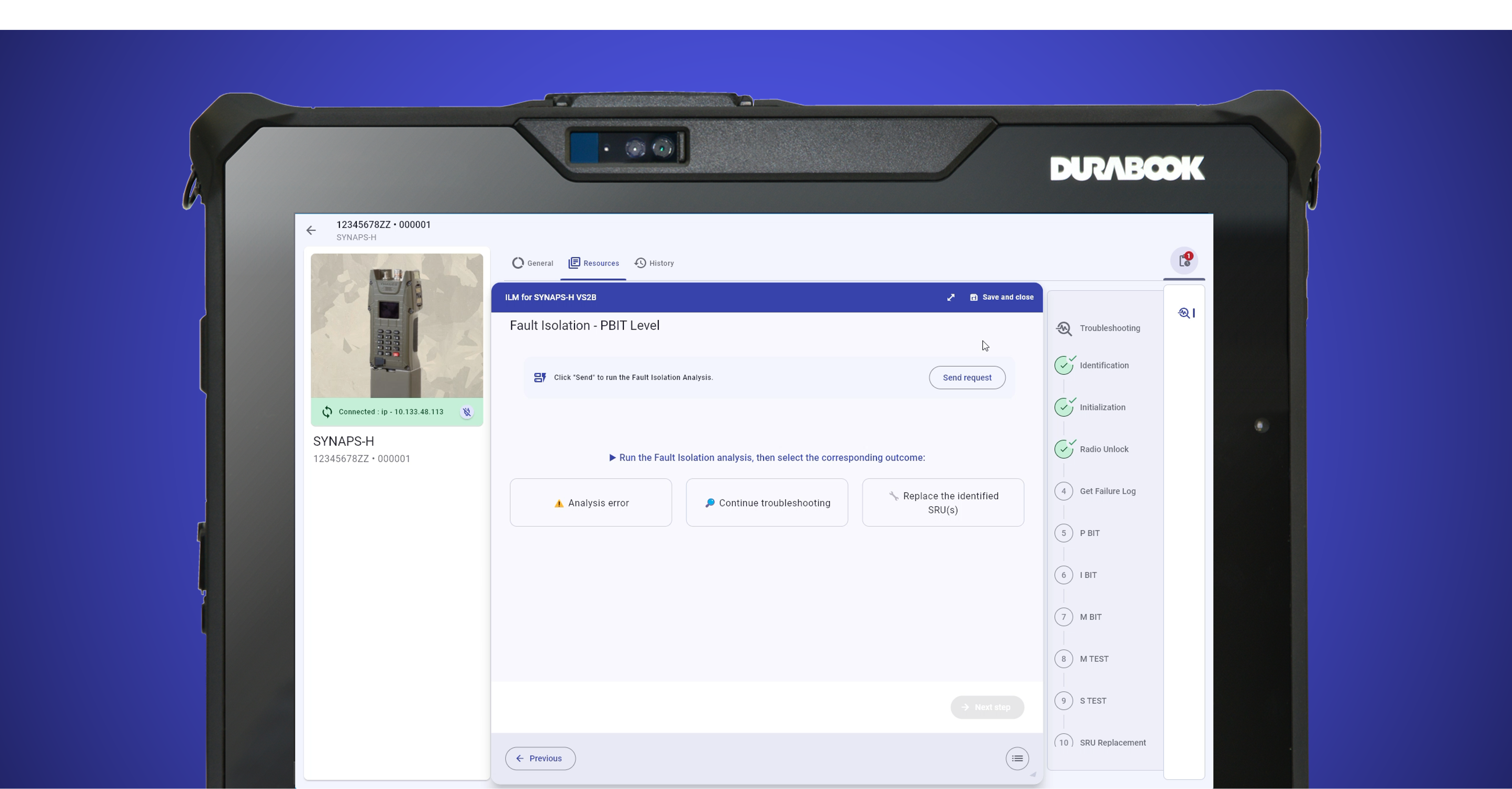
In summary, Maintenance Coach represents Thales’s approach to simple, streamlined, and secure equipment maintenance, leveraging wired connectivity for direct integration and maximum security. This tool marks a major step forward in HUMS data collection, software management, and the traceability of maintenance operations for Thales communication solutions and collaborative combat systems.
¶ Configuration management
Configuration management is essential to ensure the proper functioning of equipment and machines. The mobile application "Maintenance Coach" simplifies this complex process by allowing you to manage the assembly and disassembly of items within a system or configuration, view the applied configuration, perform configuration tracking manually or automatically via RFID, and generate detailed reports. Maintenance Coach makes configuration management more efficient than ever.
Maintenance Coach provides you with a detailed view of your system and its components. You can manage the assembly and disassembly of items by following URL/URA levels (Line-Replaceable Unit / Shop-Replaceable Unit), ensuring that each element is properly assembled and configured. This feature ensures the consistency of your equipment/system configurations.
The application allows you to quickly view the current configuration of your equipment. You can also verify if this configuration complies with your applicable configurations, ensuring that your equipment operates optimally and safely. Any discrepancies are immediately identified.
Configuration management is simplified thanks to the ability to perform manual configuration checks. However, Maintenance Coach goes even further by enabling automatic checks using RFID (Radio-Frequency Identification) technology. This reduces human errors, speeds up the process, and improves data accuracy.
The application allows you to generate comprehensive configuration reports. These reports provide a clear overview of your equipment's configuration, any changes made, and any detected non-conformities. You can easily share these reports with your team for better collaboration.
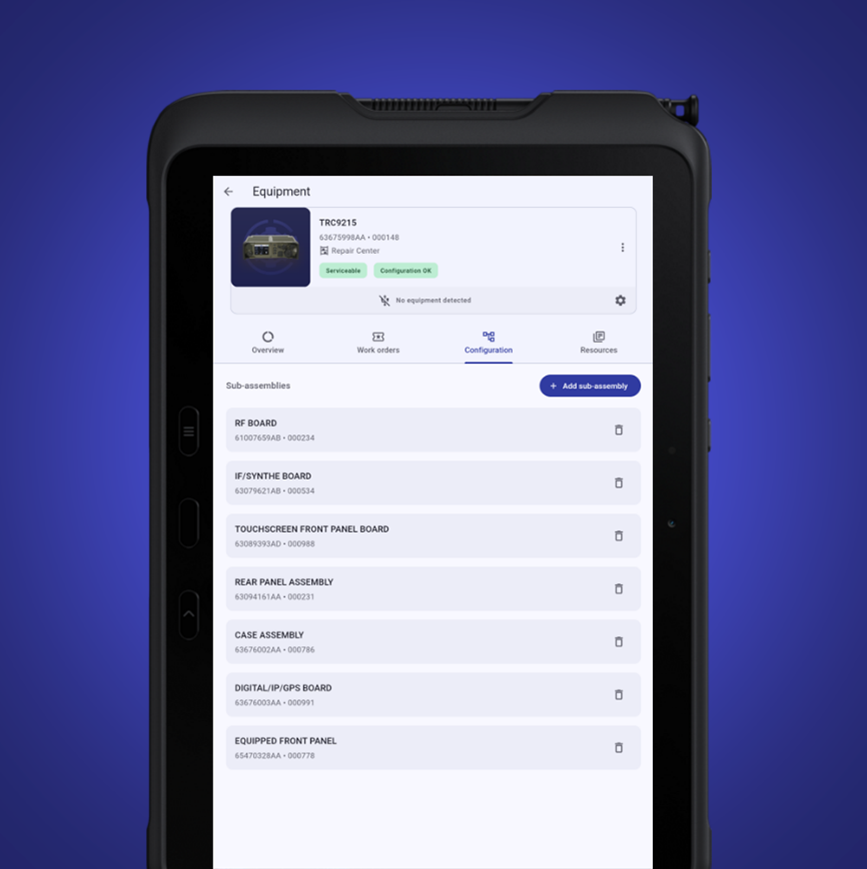
Maintenance Coach is your essential partner for configuration management, simplifying assembly, disassembly, configuration recording, and report generation. With this application, configuration management becomes more efficient, more accurate, and contributes to the reliability of your equipment and systems. Leave no room for error, choose the advanced configuration management offered by Maintenance Coach.
¶ Work Order management
The "Maintenance Coach" mobile app is revolutionizing technical work order management by offering advanced features for both corrective and preventive maintenance. With this app, you can track the real-time progress of technical interventions at the individual task level, and leverage field data to review and optimize your preventive maintenance plans.
HeadLight Manage allows you to create a detailed maintenance schedule by planning your technical interventions—whether they are corrective (to resolve existing issues) or preventive (to avoid future failures, based on your preventive maintenance plans).
You can assign these tasks to your technicians according to their availability and skill sets, ensuring efficient resource allocation. Transparency is key to effective technical intervention management. Maintenance Coach lets you track the real-time progress of each intervention, including the status of individual tasks. You’ll know exactly where each technician stands, making it easier to make decisions and adjust plans along the way.
One of the most powerful features of Maintenance Coach is its ability to leverage field data. The information collected during technical interventions is stored and analyzed to identify trends and opportunities for improvement. You can review and optimize your preventive maintenance plans based on this data, reducing both costs and downtime.

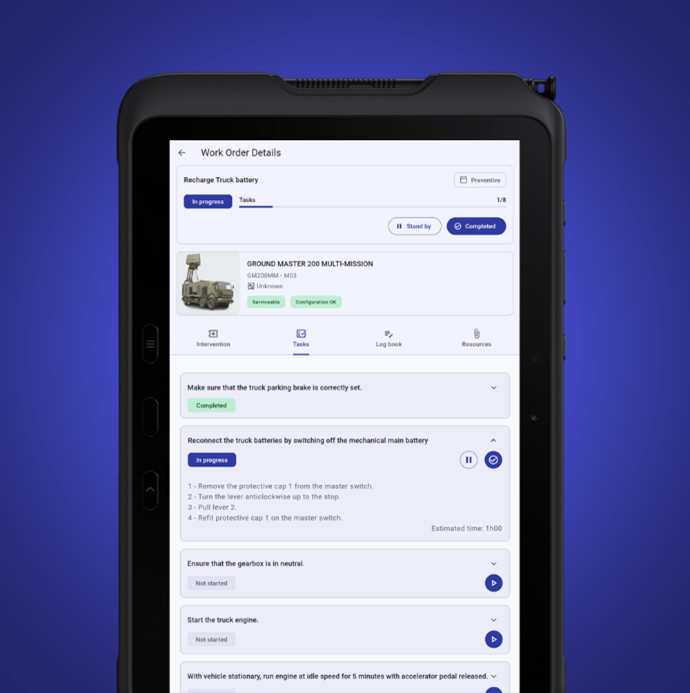
With Maintenance Coach, managing technical interventions has never been more efficient.
This application allows you to plan, track, and optimize your interventions with full transparency.
You can rely on this solution to ensure operational continuity while reducing maintenance costs.
Don’t let breakdowns disrupt your operations, choose Maintenance Coach’s advanced work order management.
¶ Inspections, Audits & Checklists
The "Maintenance Coach" mobile app is your go-to tool for streamlining the execution of checklists (in the form of digital forms) within your support operations. This app enables you to perform inspections, collect electronic signatures, add photos, and automatically generate reports (based on your customizable templates). Additionally, it gives you the flexibility to independently create checklist templates tailored to your specific needs (using HEADLIGHT Studio).
Maintenance Coach gives you the ability to carry out inspections efficiently. You can create control forms tailored to your specific requirements and complete them directly in the field. With the Maintenance Coach app, you can enter relevant information, perform checks, and report issues, all in real time, whether online or offline. This digital approach speeds up the inspection process and reduces human error.
Electronic signatures are a key component of executing checklists. With Maintenance Coach, you can add them directly to forms, ensuring the authenticity of inspections. This feature also helps reduce paperwork and ensures traceability of all actions taken.
After each inspection, Maintenance Coach automatically generates a detailed PDF report. This report consolidates all collected data, observations, flagged issues, and other relevant information (all stored locally on the tablet). You can immediately review and share the report with stakeholders through HEADLIGHT Manage, streamlining both communication and decision-making.
Maintenance Coach gives you exceptional flexibility by enabling you to independently design and customize checklist templates directly within HEADLIGHT Studio. Tailor both forms and report layouts to suit specific operational needs and inspection types. This level of autonomy empowers you to efficiently manage the full range of controls required under your contract.
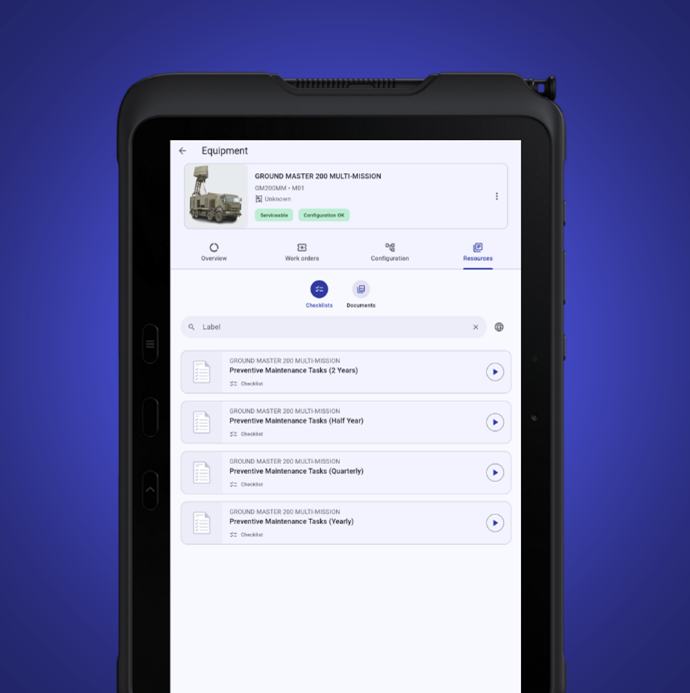
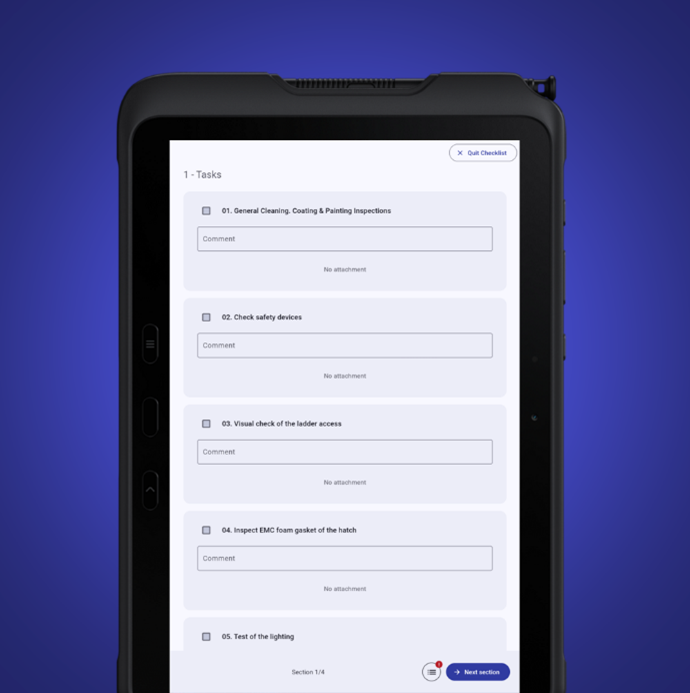
Maintenance Coach streamlines checklist execution with powerful features such as digital form-based inspections, automatic report generation, and full autonomy through HEADLIGHT Studio. With this smart solution, inspections and deployments are faster, more accurate, and more efficient. Say goodbye to outdated Excel files, switch to Maintenance Coach for a seamless and optimized inspection workflow.
¶ Stock Management
Effective stock management ensures product availability at the exact right time, minimizing unnecessary costs and maximizing your team's operational efficiency. The Maintenance Coach application gives you total visibility over every part, tool, and asset across your entire operation, tracking every item from the moment it arrives until it hits the floor.
Total Control Over Stock Movements.
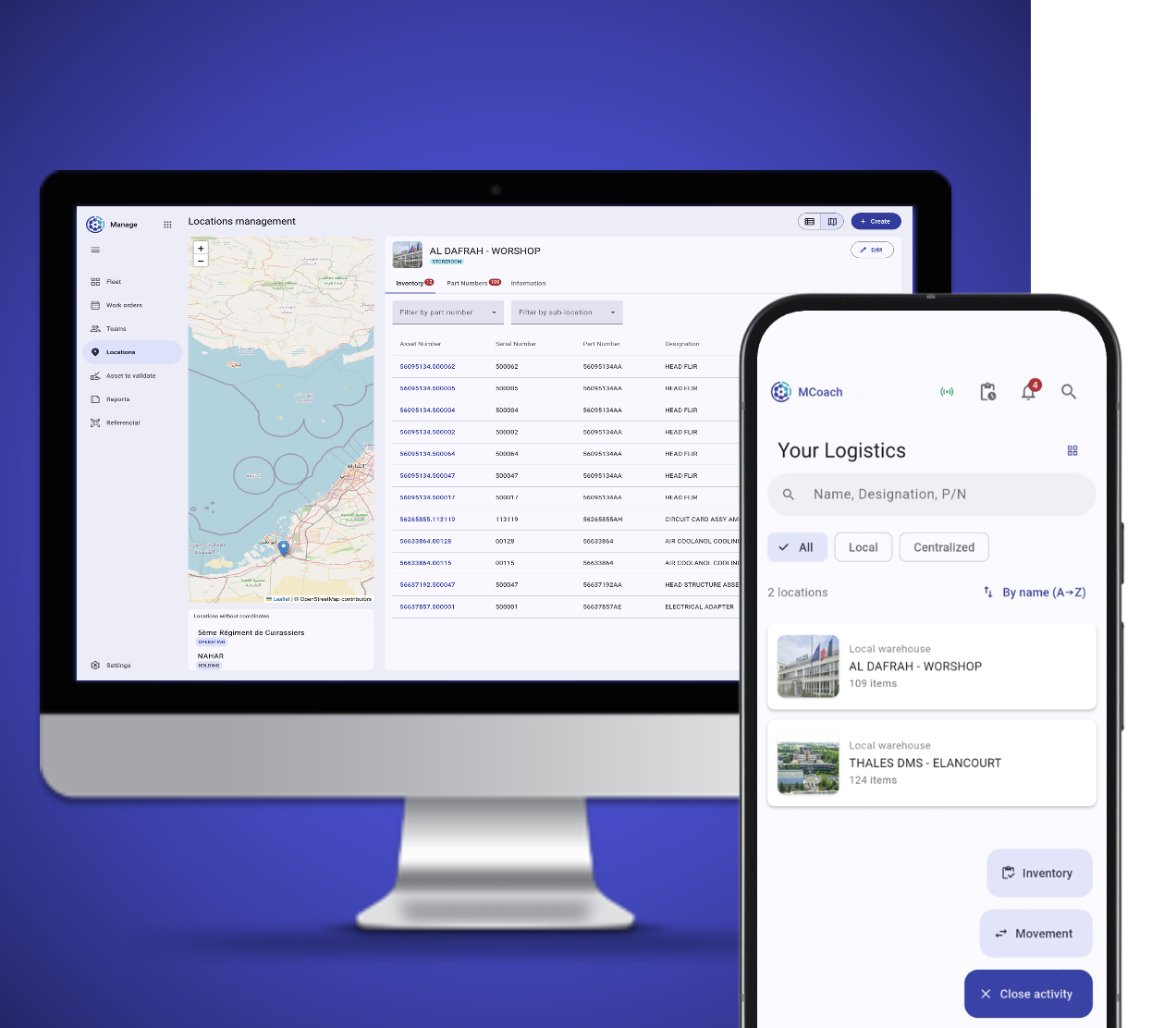
Managing the lifecycle of your inventory shouldn't feel like guesswork. Maintenance Coach simplifies your daily logistics by seamlessly tracking all Inbound Movements, allowing your team to log and verify stock into sub-locators. If your operation spans multiple locations, the platform handles Transfers effortlessly, managing fluid movements between different storerooms so you always know exactly where your assets are deployed.
Paper logs and outdated spreadsheets create gaps between what you think you have and what is actually on the shelf. Maintenance Coach bridges this gap by making it easy to compare physical quantities directly with your system records. This real-time reconciliation ensures that your digital data perfectly reflects your physical reality, eliminating ghost stock, preventing stockouts, and giving your maintenance team the confidence that the parts they need will be there when it matters most.
¶ Service requests
The "Maintenance Coach" mobile app streamlines service request management straight from the field. Designed for both technicians and customers, it enables quick and easy submission of requests, whether for equipment returns (RMA), bug reporting, spare parts orders, or other needs. This flexibility empowers field teams to communicate vital information in real time, ensuring swift response and resolution.
On the Front Office side, users benefit from seamless ticket management via JIRA Service Management (Unity offer developped by THALES). This integration provides centralized tracking of service requests and fosters enhanced collaboration across teams, ensuring efficient and transparent issue resolution.
Thanks to the SLAi option, managing Service Level Agreements (SLA) is now streamlined via JIRA Service Management combined with powerful dashboards, such as those built with Power BI. This enables teams to monitor resolution times closely and ensure that all requests are addressed within agreed timeframes, delivering consistently high-quality service to every user.
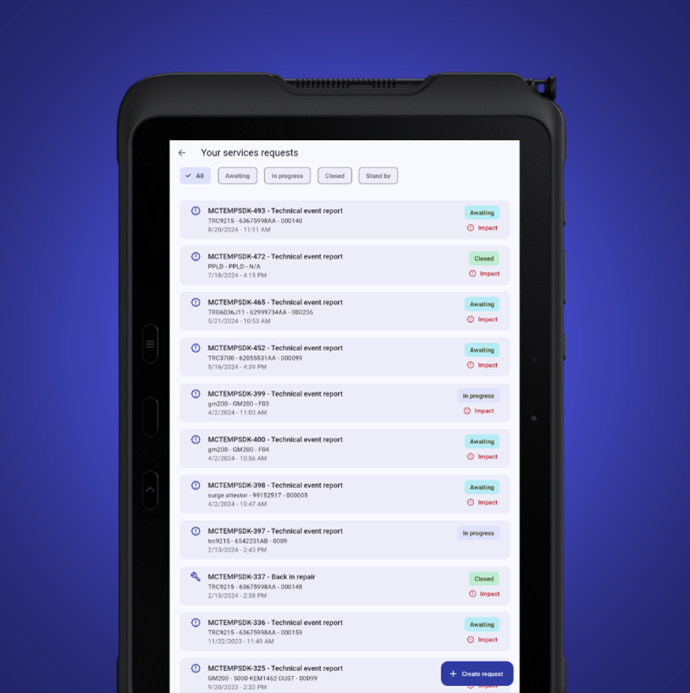
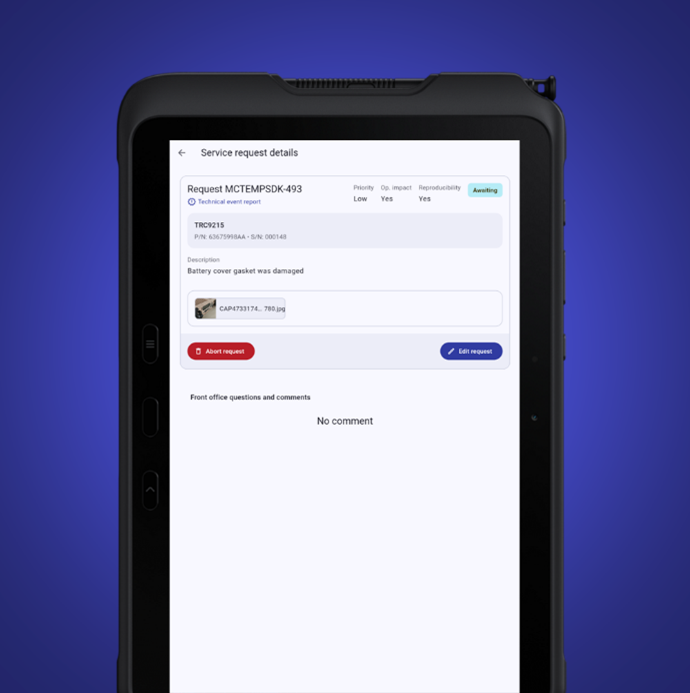
Maintenance Coach empowers you to report and resolve incidents swiftly through instant, one-click data submissions right at the incident site, even offline. You can effortlessly monitor the status of all your requests and receive real-time updates from your Front Office, guaranteeing strict adherence to established workflows. Built on ITIL best practices, this solution fosters seamless collaboration between teams, enabling service requests to be executed faster and more efficiently than ever.
¶ ThEye
¶ Remote Assistance
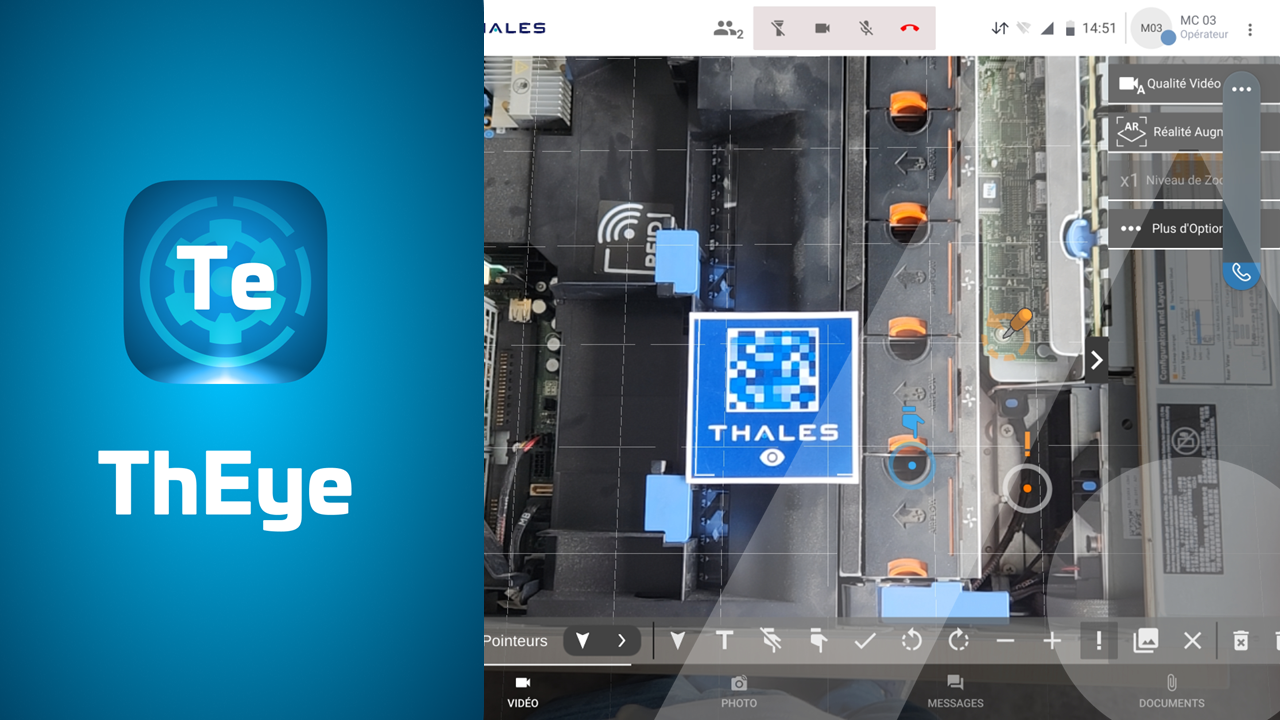
ThEye is a collaborative solution that delivers real-time expertise through a wide range of innovative features. Available on smartphones, tablets, and computers, ThEye brings a new dimension to remote support with tools such as augmented reality, synchronized 3D annotations on real equipment, photo mode, document sharing, remote control, whiteboard collaboration, and much more.
ThEye facilitates seamless collaboration between field technicians and remote experts. With this solution, you can share real-time data, discuss complex issues, and receive expert guidance regardless of your location. Remote expertise has never been more accessible or effective.
ThEye adapts to your working environment. Whether you're using a smartphone, tablet, or computer, the application is fully accessible across all platforms. This flexibility allows you to choose the device best suited to your operational context, ensuring remote expertise is always within reach, no matter where or how you're working.
Augmented reality is the technological core of ThEye. This cutting-edge feature overlays digital information directly onto real-world equipment, making it easier to identify issues and carry out maintenance tasks. 3D annotations made by remote experts are synchronized in real time, ensuring seamless, efficient collaboration between field technicians and support teams.
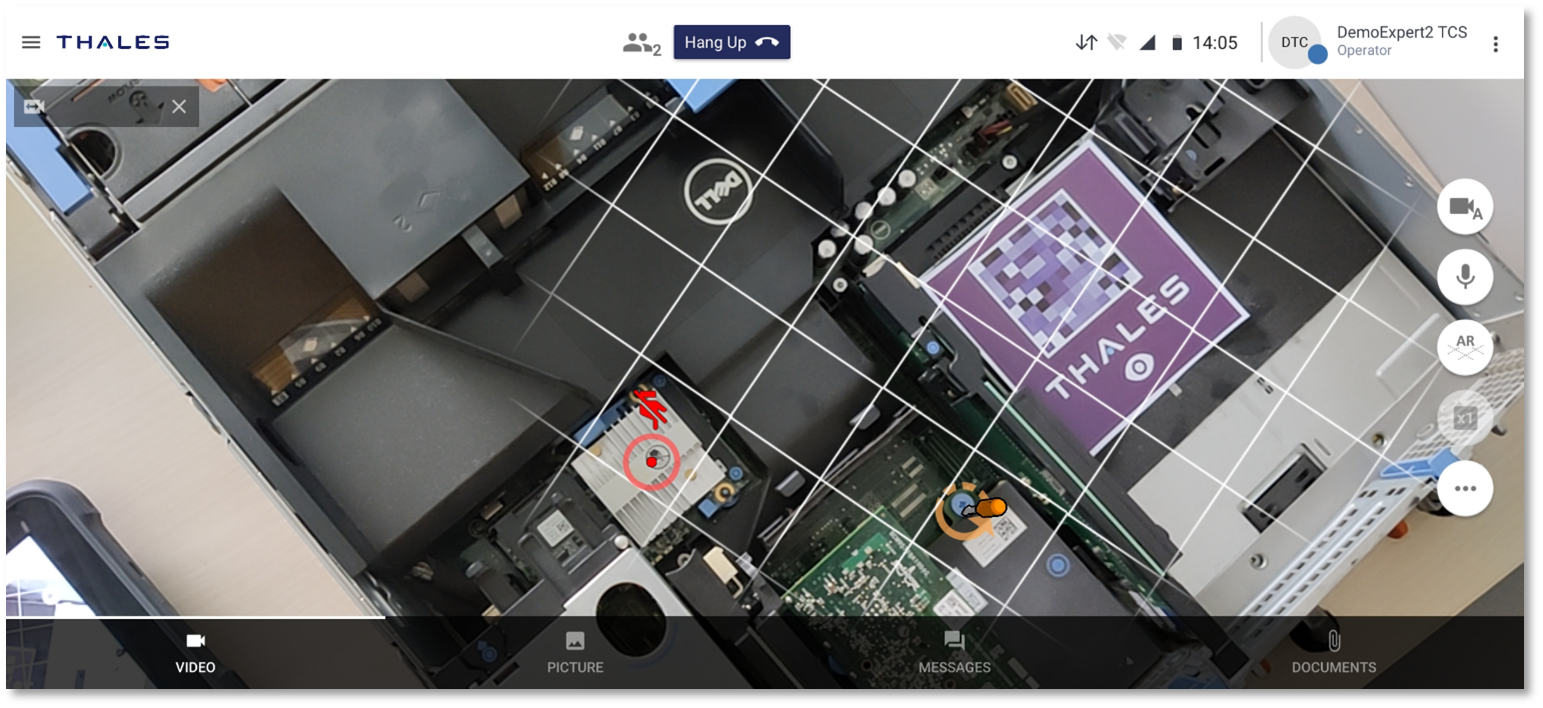
ThEye provides a wide range of features to support your remote expertise. The photo mode allows you to capture images for documentation purposes, while document sharing ensures quick access to essential information, remote control enables you to perform adjustments and troubleshooting from a distance, and the whiteboard feature offers a real-time collaborative space to discuss and solve complex issues together.

ThEye transforms remote expertise into an exceptional experience. This mobile application enables seamless collaboration with experts in real time, no matter where you're located. With advanced features like augmented reality, real-time synchronized 3D annotations, and a full suite of support tools, ThEye helps you diagnose issues faster and boost the effectiveness of remote assistance. Don’t let distance stand in your way, embrace ThEye for a new era of remote expertise.
¶ HeadLight Manage
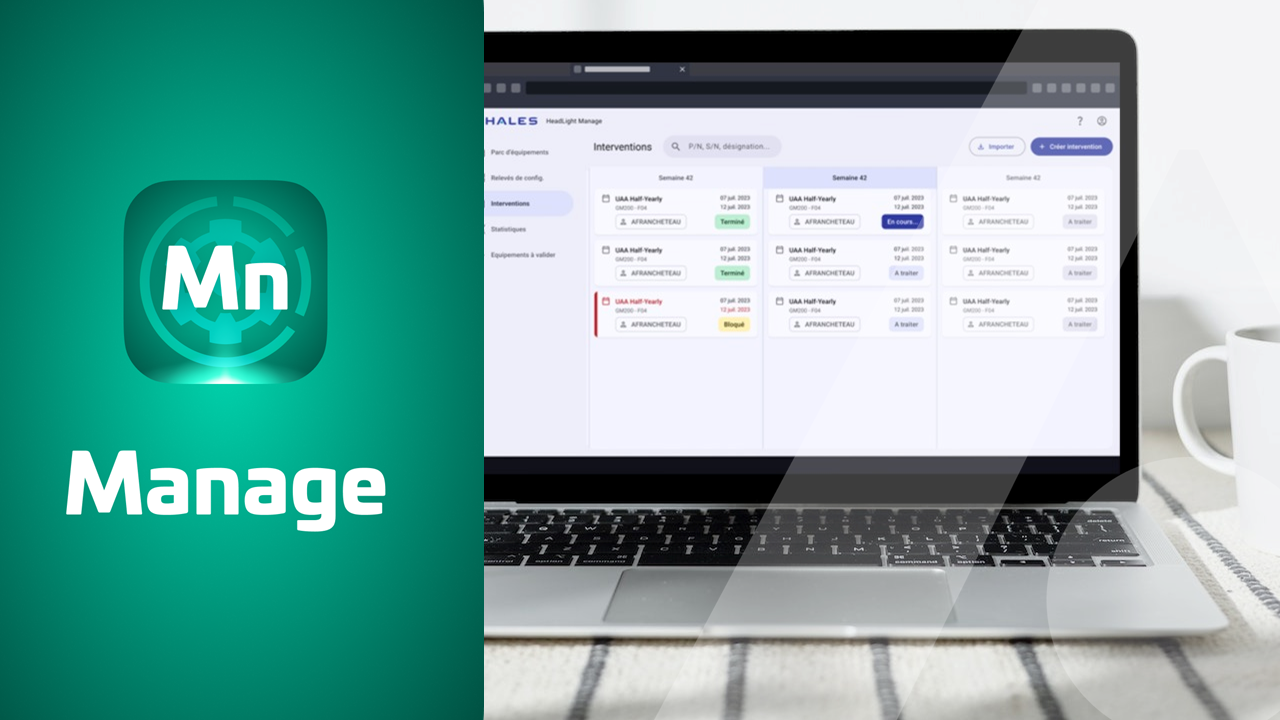
HEADLIGHT Manage transforms the way organizations oversee their asset fleets and coordinate technical interventions, especially through its seamless integration with IBM Maximo. The platform delivers a comprehensive view of your equipment lifecycle and empowers you to efficiently plan, dispatch, and monitor technical operations. With instant access to field-generated reports, HEADLIGHT Manage ensures full traceability and improved operational oversight.
¶ Fleet Management
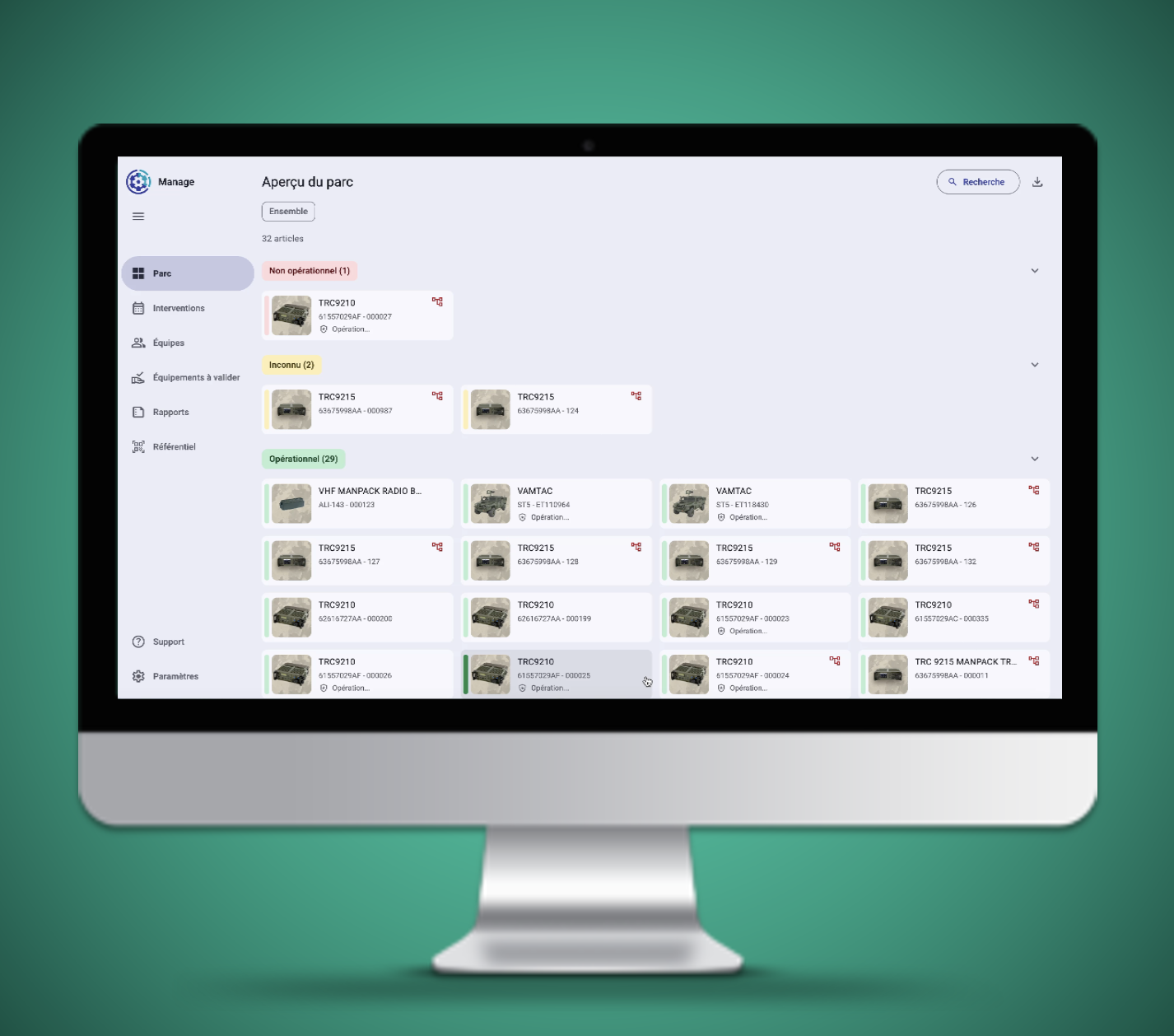
HEADLIGHT Manage provides a comprehensive overview of your equipment fleet. Access detailed information on each asset, including its current condition, maintenance history, and lifecycle status. This insight enables you to make well-informed decisions on repairs, replacements, or maintenance activities. With this capability, fleet management becomes transparent, proactive, and straightforward.
¶ Work Order Scheduling & Dispatching
Effective scheduling of technical interventions is crucial to successful fleet management. HEADLIGHT Manage enables you to create detailed schedules for your teams, assign targeted tasks, and monitor progress in real time. This level of planning helps minimize downtime and maximizes overall operational productivity.
Clear visibility is vital for evaluating your technical team’s performance. HEADLIGHT Manage provides instant access to detailed reports from your field technicians, including information on completed tasks, parts utilized, and key observations. This comprehensive insight allows you to monitor equipment status and optimize team efficiency.
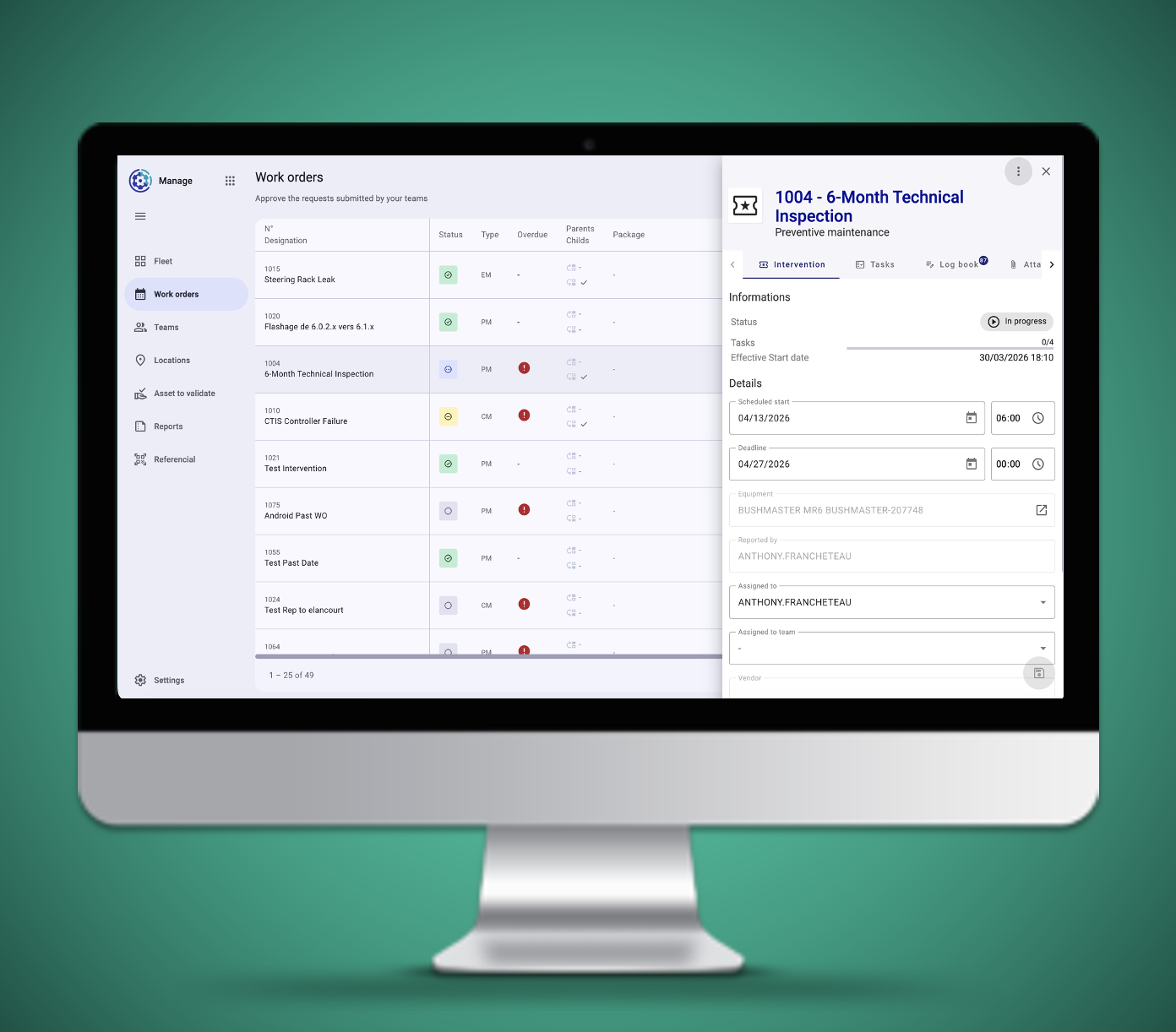
HEADLIGHT Manage is a robust solution designed to streamline equipment and intervention management. With its advanced capabilities, you can easily visualize, schedule, and monitor your team’s activities, guaranteeing the reliability and performance of your equipment fleet. Make equipment management effortless and transparent with HEADLIGHT Manage.
¶ HeadLight Capture
¶ HUMS Monitoring
HeadLight Capture serves as a pivotal digital ecosystem engineered specifically for military defense support, focusing entirely on Health and Usage Monitoring Systems (HUMS). In the demanding theater of military logistics and fleet sustainability, the platform acts as a critical operational bridge, transforming complex, unstructured mechanical diagnostics into actionable data to maximize fleet readiness, extend equipment lifecycles, and optimize predictive maintenance workflows.
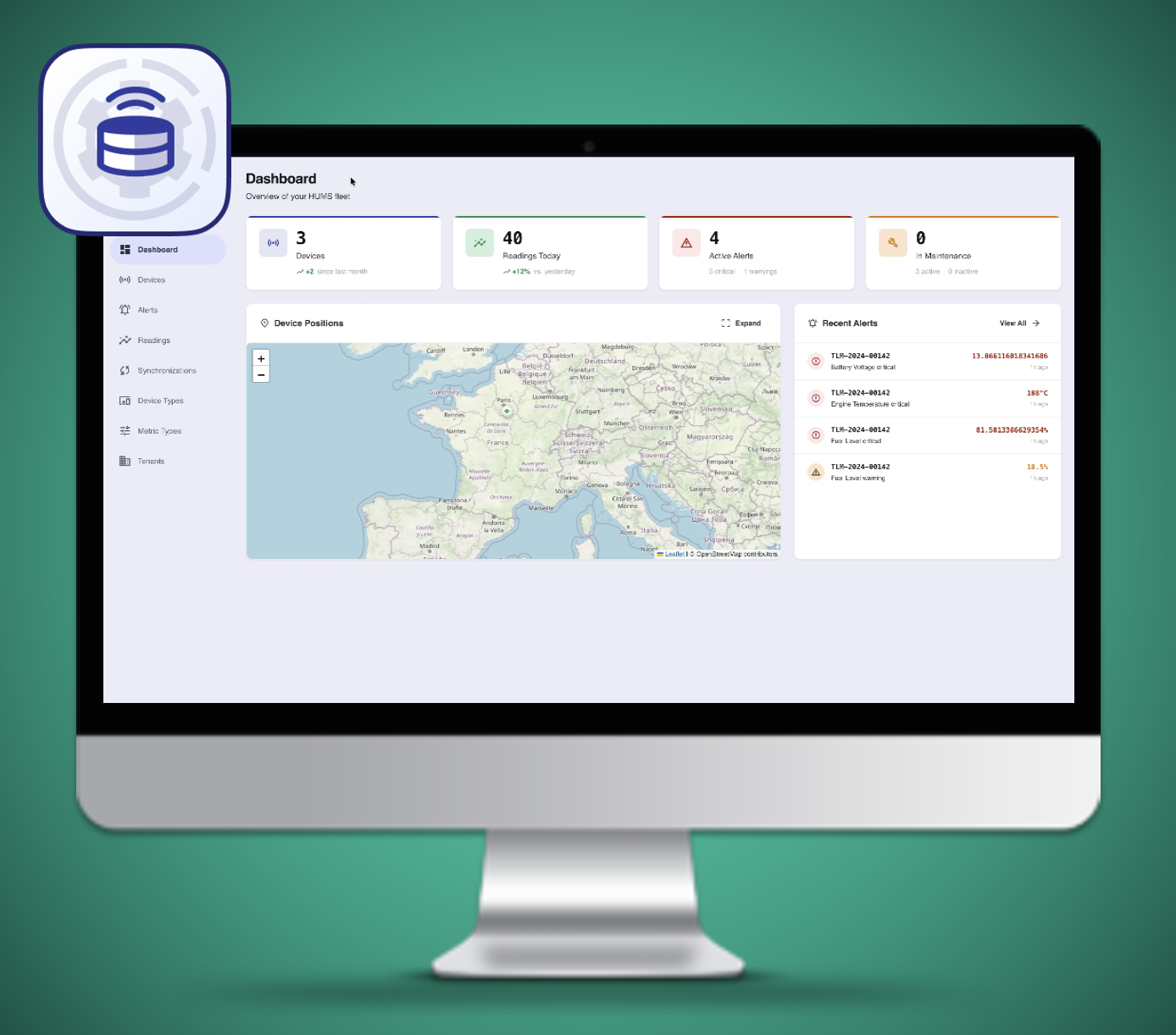
To accommodate the diverse reality of military operational environments, HeadLight Capture provides dual pathways for importing critical asset data. For modern fleets and networked infrastructures, the platform offers robust Application Programming Interface (API) connectivity that links directly to the data provider or the native hardware on the asset, allowing for the seamless, automated ingestion of sensor logs directly from advanced HUMS dataloggers. Conversely, for detached tactical environments, older legacy fleets, or strictly air-gapped systems where live network connections are impossible, the platform fully supports manual imports via flat files, ensuring that field engineers can easily upload collected data logs locally. This dual integration capability ensures that whether data is transmitted instantly across secure servers or carried manually on a ruggedized storage drive, HeadLight Capture delivers uncompromised data continuity and holistic fleet oversight.
¶ HeadLight Studio
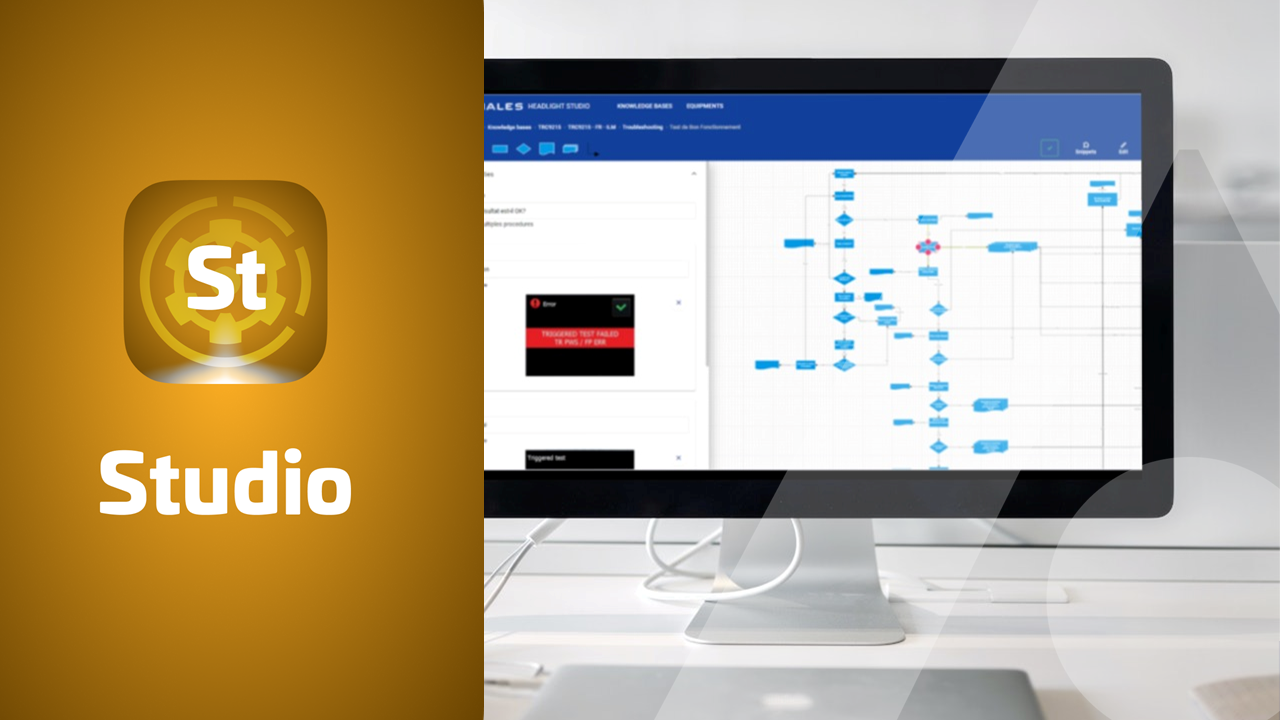
HEADLIGHT Studio is a web-based solution designed to streamline the creation of maintenance-focused content. It empowers you to independently build resources like fault trees, checklist procedures, and more, while seamlessly integrating existing documents, including PDFs and various media formats. Furthermore, HEADLIGHT Studio provides robust tools to validate and publish your content with confidence, ensuring accuracy and consistency across your maintenance documentation.
HEADLIGHT Studio makes maintenance content creation accessible to all users. You gain complete control to develop detailed fault trees, procedures, checklists, and other essential resources. This independence enables you to easily add or update your maintenance materials, tailoring them precisely to your unique operational requirements.
Maintenance often requires managing diverse resources, from documents to multimedia files. HEADLIGHT Studio enables you to seamlessly and securely incorporate your existing documents into your knowledge bases, ensuring all relevant information is unified within your maintenance content.
Precision is essential in maintenance operations. With HEADLIGHT Studio, you can thoroughly review and validate your content prior to publication, ensuring full compliance with your project and documentation standards. This validation process helps maintain the integrity and reliability of your information, so your team can confidently rely on up-to-date, accurate resources for maintenance activities.
HEADLIGHT Studio is an essential web application for creating your maintenance content, providing a user-friendly platform to develop high, quality resources, integrate existing documents, and validate everything before publication. This application makes the creation of maintenance, focused content seamless and efficient, enhancing the performance of your maintenance operations. Don’t let content creation be a barrier, choose HEADLIGHT Studio to autonomously create your resources for Maintenance Coach with confidence.
¶ HeadLight Learning
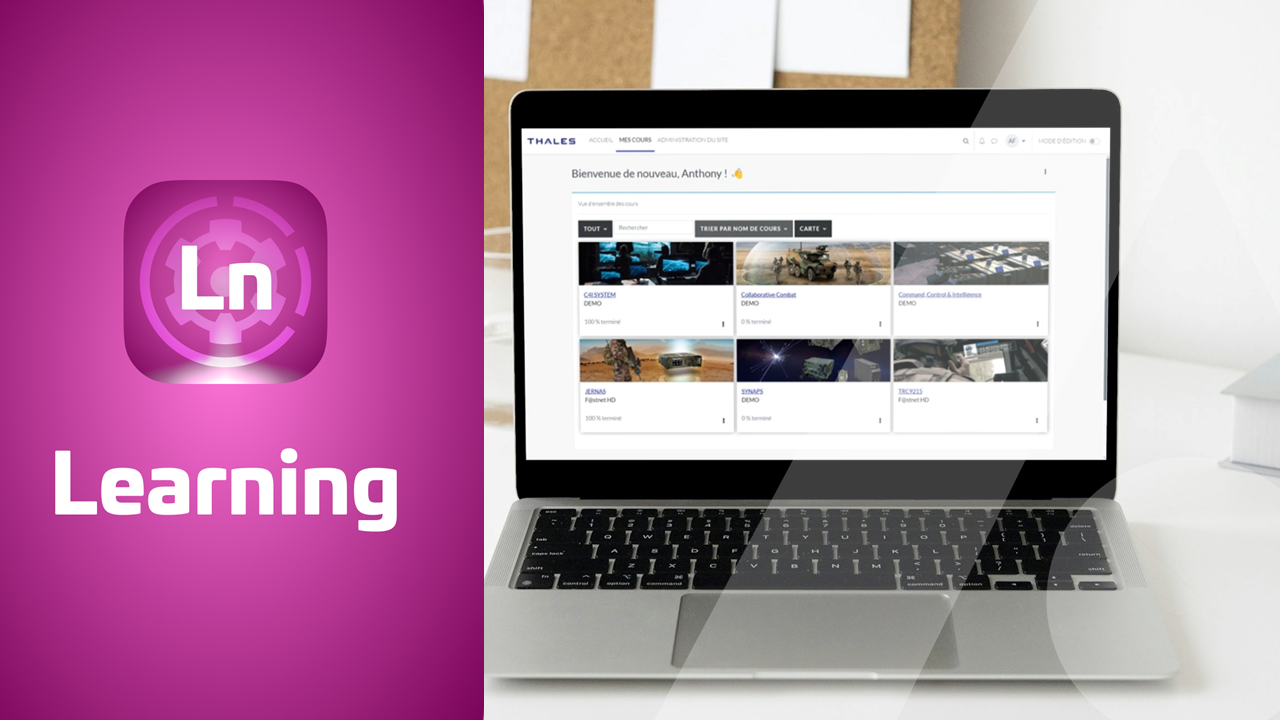
HeadLight Learning is an online training platform (Learning Management System) designed to help you create and organize training programs for your learners. With HeadLight Learning, you can develop interactive courses, manage educational content, assign tasks, and engage directly with your trainees. The platform includes a wide range of features such as discussion forums, quizzes, detailed learning reports, and advanced customization options, ensuring it meets the specific needs of both trainers and learners.
HeadLight Learning is much more than a basic online training platform. It empowers you to design, customize, and organize training programs tailored to your specific needs. You can create interactive training modules, quizzes, videos, and much more. This versatility enables you to deliver high-quality training that adapts seamlessly to your clients and learners.
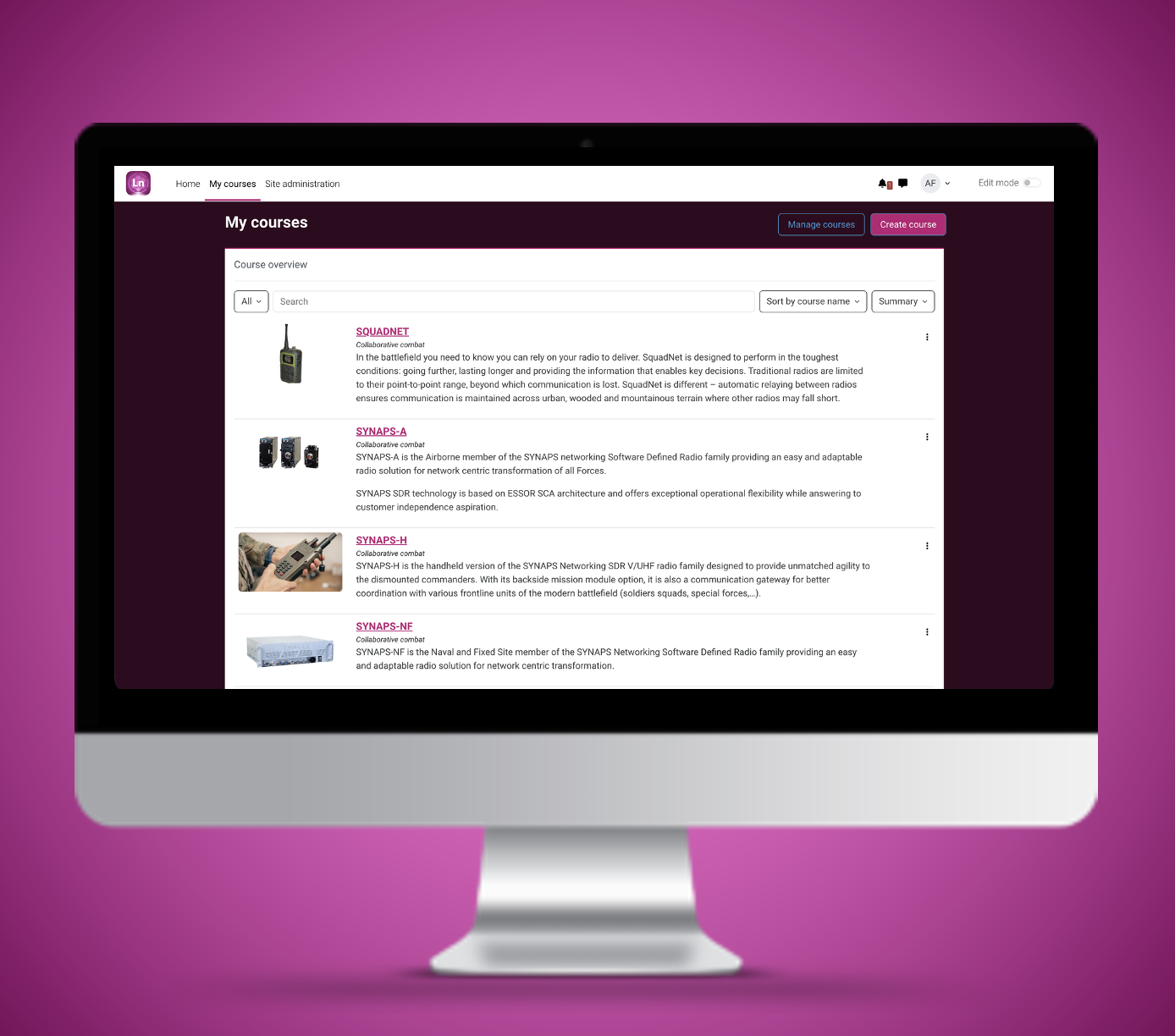
The distinction between trainer and learner profiles is crucial for an effective training platform. HeadLight Learning provides clearly defined roles, allowing easy navigation between them. Trainers can manage content and training sessions, while learners have access to courses, can track their progress, and interact with the materials.
HeadLight Learning is the ideal solution to meet your online training needs. This platform enables you to create, organize, and deliver high-quality training while clearly differentiating the roles of trainers and learners. Additionally, it simplifies tracking learner performance, ensuring effective training outcomes. Don’t let online training become a source of complexity—choose HeadLight Learning for a seamless and quality e-learning experience.
¶ HeadLight Admin
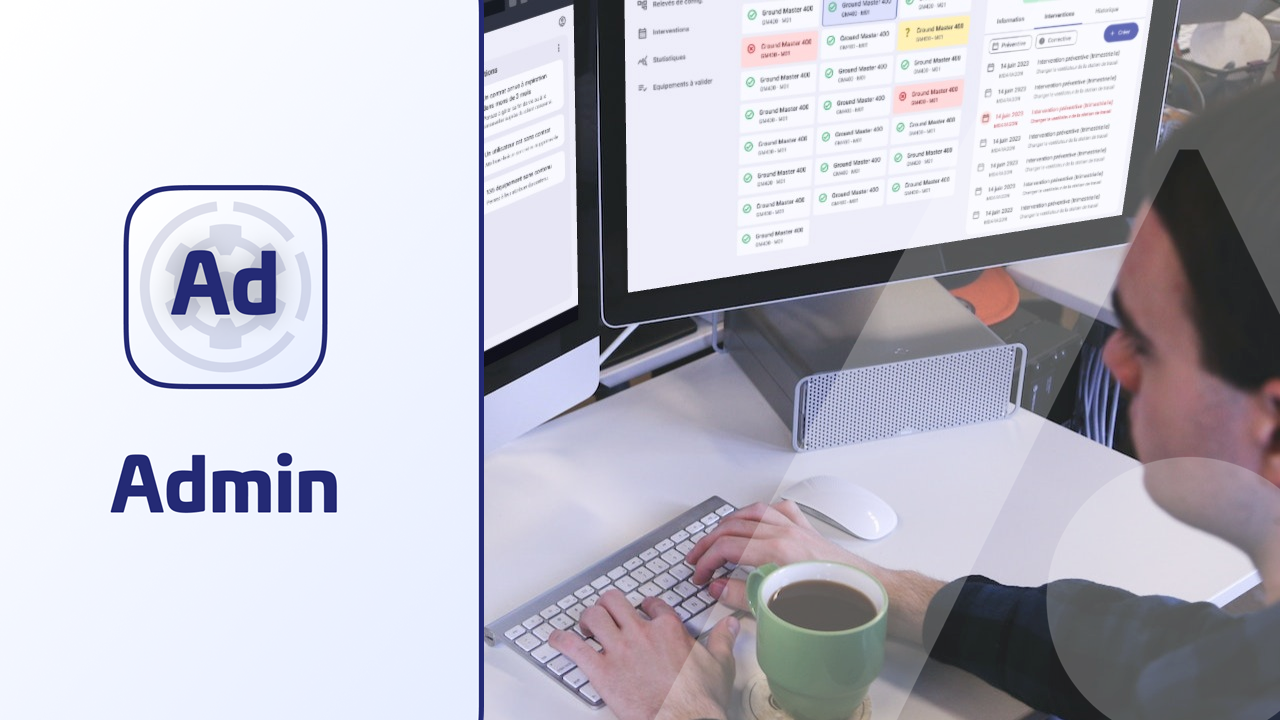
The HEADLIGHT Admin web application is the essential tool to streamline the administration of HEADLIGHT Suite contracts, especially in On-Premise environments where this solution is mandatory. It enables you to manage your maintenance contracts with ease. Additionally, you can administer your HeadLight Suite users by assigning appropriate roles across all HEADLIGHT Suite applications, while also managing your item master data, such as Part Numbers.
HEADLIGHT Admin provides an efficient way to manage your HEADLIGHT Suite contracts. You can oversee contract details, service packages, authorized users, maintenance levels (from NTI1 to NTI3), and your item repository (authorized Part Numbers), all while maintaining full visibility over your contractual commitments.
Effective user management is a cornerstone of maintenance contract administration. With HEADLIGHT Admin, you can assign specific roles to each user, granting them access to the features they need to carry out their maintenance tasks efficiently. This role-based configuration ensures optimal use of the application in alignment with your maintenance contract requirements. HEADLIGHT Admin manages user access across the following applications: Maintenance Coach, ThEye, HEADLIGHT Manage, HEADLIGHT Studio, HEADLIGHT Learning, and IBM Maximo.
A robust parts repository is critical for effective maintenance contract management. HEADLIGHT Admin enables you to easily define and manage your article reference library. You can structure and maintain an up-to-date list of authorized equipment, software, and consumables for each of your contracts. This centralized approach streamlines contract administration while ensuring reliable and consistent information is available in the field.
HEADLIGHT Admin is an essential application for managing contracts, user access, and the article reference system (mandatory in On-Premise environments) within the HEADLIGHT Suite. With this tool, contract administration across all HEADLIGHT applications becomes streamlined and efficient, directly supporting the success of your maintenance operations. Don’t let administration become a bottleneck—choose HEADLIGHT Admin for simplified and optimized contract and user management.
¶ IBM Maximo

IBM Maximo is an enterprise asset management (EAM) software designed for maintenance management, asset lifecycle tracking, and operational planning (CMMS – Computerized Maintenance Management System). Within the HeadLight Suite, Maximo serves as the reference component for asset management, configuration control, and maintenance operations, especially through the implementation of APIs for seamless integration.
¶ Item master management
Asset repository management in HeadLight Suite is a core component of HeadLight Suite, designed to centralize, structure, and govern all information related to assets, equipment, spare parts, and other elements tied to your maintenance contracts. Within the ecosystem, this repository is commonly referred to as the Asset Management Repository or simply Asset Repository. Here's how it works:
- Centralized Data Access: Leveraging IBM Maximo, all asset-related information is consolidated into a single, unified database. This centralization ensures consistent, up-to-date access to asset data for all stakeholders across the organization.
- Classification and Structuring: Assets are systematically categorized into classes, groups, and hierarchical structures. This organization simplifies navigation and improves data retrieval. Each asset entry can be enriched with key attributes such as serial numbers, purchase dates, maintenance history, and more.
¶ Configuration management
Active Configuration Management (ACM) in IBM Maximo is an advanced approach to configuration management, designed to ensure real-time tracking of assets and their configurations. Integrated with the Maintenance Coach application, ACM enables proactive oversight of changes and configurations. Key features include:
- Real-Time Tracking: ACM provides live monitoring of assets and their configurations. Any change—whether resulting from preventive actions, maintenance updates, replacements, or other interventions—is captured instantly. Configuration changes can be edited directly in IBM Maximo or in Maintenance Coach, both online and offline, directly from the field.
- Automatic Reconciliation: ACM continuously ensures that asset data reflects the actual state of equipment. In case of discrepancies, the system can automatically trigger alerts or corrective actions. These alerts are visible in both IBM Maximo and the Maintenance Coach app, via the "Configuration" status.
- Relationship Management: ACM handles complex interdependencies between assets. It understands how changes to one component can impact others, enabling coherent, end-to-end configuration management across systems.
- Continuous Event Monitoring: ACM actively monitors events and asset data in real time, allowing immediate response to unplanned changes or compliance issues. This enables technicians and supervisors to maintain operational integrity at all times.
- Configuration Auditing: To support regulatory compliance, ACM provides robust audit trails for all configuration changes. These audits are accessible directly from the Maintenance Coach application, ensuring traceability and accountability even in the field.
¶ Technical Work Order Management
In HeadLight Suite, technical Work Orders refer to all maintenance, repair, and asset management activities carried out under a maintenance contract. These operations range from corrective to preventive maintenance, and encompass planning, execution, tracking, and documentation. HeadLight Suite provides a comprehensive ecosystem to manage these tasks effectively across its applications. Key aspects of technical intervention management include:
- Corrective Maintenance: Technical Work Orders in IBM Maximo are frequently linked to corrective maintenance, actions taken to resolve unexpected failures or issues affecting assets. Technicians can create work orders (in IBM Maximo or HeadLight Manage) including detailed information such as fault description, required spare parts, and other relevant information.
- Preventive Maintenance: IBM Maximo also supports preventive maintenance management, enabling users to schedule recurring tasks to avoid failures. Work Orders for preventive maintenance are automatically generated based on time intervals, usage metrics, or asset condition.
- Work Order Execution: Maintenance technicians rely on Maintenance Coach to carry out Work Orders directly in the field. They can view Work Order details, record activities performed, update the status of the Work Order, and report any unexpected findings, all from their mobile device, even in offline mode.
- Real-Time Monitoring: HeadLight Manage provides real-time tracking of all technical Work Orders. Managers and field personnel can monitor Work Orders status, time spent, parts used, and more. All execution data is synchronized and stored in IBM Maximo.
¶ Tag Encoder
¶ RFID Commissioning
Tag Encoder is a software application designed specifically for the encoding of Radio Frequency Identification (RFID) tags. Engineered to meet stringent aerospace and defense standards, the application ensures high-precision data integrity for asset tracking, lifecycle management, and supply chain visibility.
The application is fully optimized to encode high-capacity and standard RFID tags, specifically supporting 64 kbits. It ensures strict compliance with critical industry formats such as ATA Spec 2000 for integrated aerospace data exchange and the EPC (Aerospace and Defense Identifier) standard required for defense logistics and parts tracking.
To streamline high-volume commissioning workflows, Tag Encoder allows users to quickly import asset and serialization data directly from external files, eliminating the need for manual data entry and drastically reducing the risk of human error.
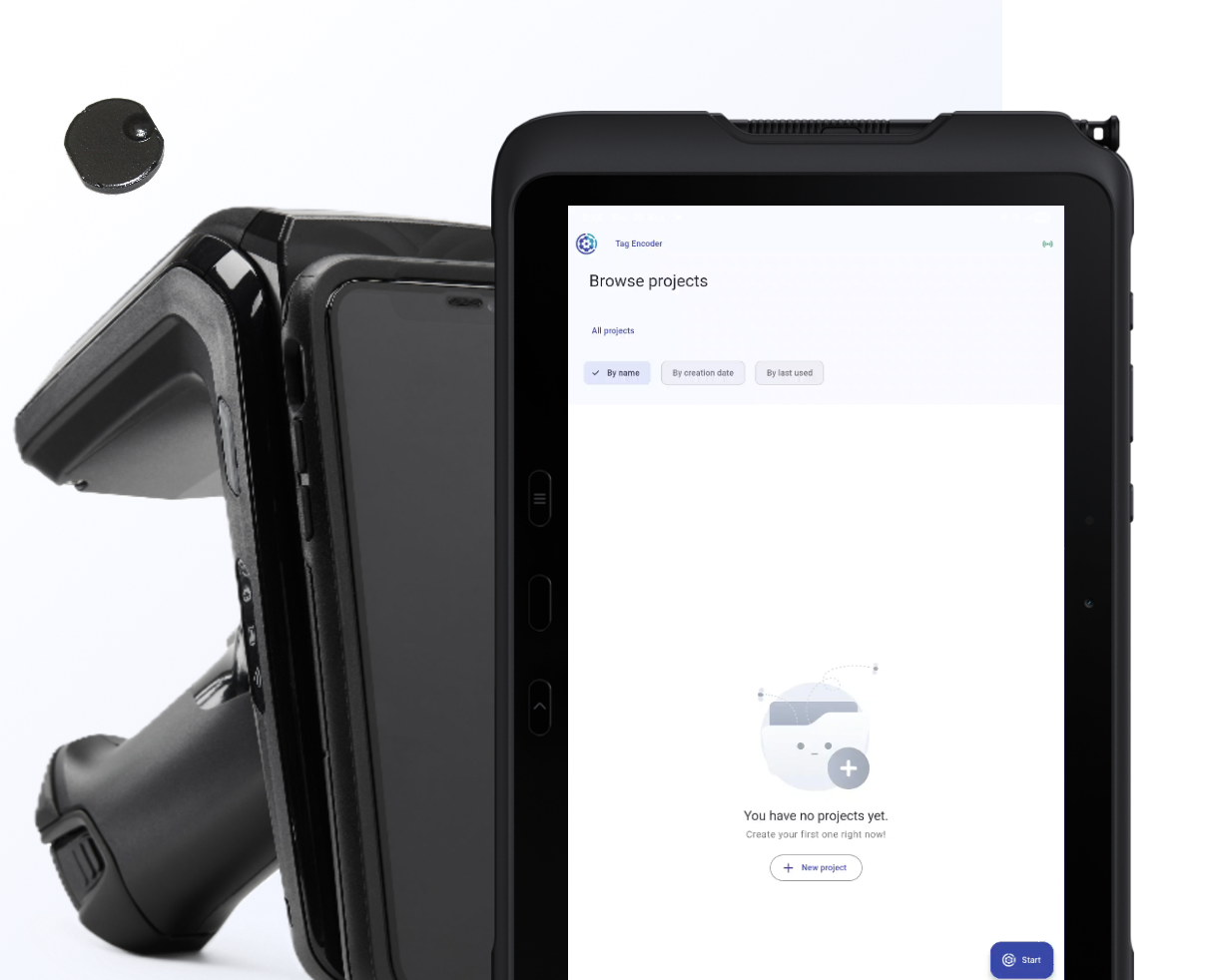
While adhering to rigid global standards, the application offers the flexibility to accommodate unique business requirements. Users can customize data entry fields utilizing PDI (Proprietary Data Identifiers) to embed company-specific metrics, internal part numbers, or unique tracking identifiers directly into the tags.
This application is ideal for aerospace manufacturers, defense contractors, and MRO (Maintenance, Repair, and Overhaul) facilities that require a reliable, compliant method to encode RFID Tags.